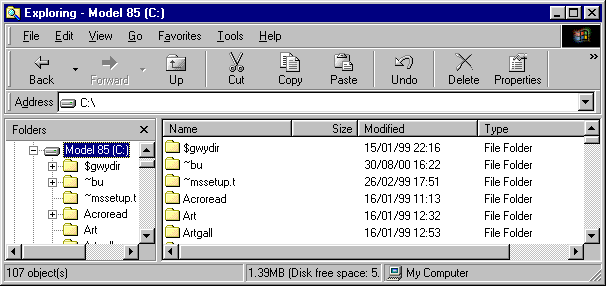
 It is the Windows Explorer window, and its purpose is to show you what files are on your computer. There are two displays here, the fairly thin bit along the left, and the main bit in the middle/right.
| Explorer | What it does |
You will probably have seen this window before:
It is the Windows Explorer window, and its purpose is to show you what files are on your computer. There are two displays here, the fairly thin bit along the left, and the main bit in the middle/right.
In these you will see yellow things called Folders, which you may know of as Directories. If you do not know about these, you can imagine them as boxes inside your computer, which can contain smaller boxes and other objects. These other objects are called Files, and can have just about any symbol beside them.
Explorer shows you all the files that are on your hard disk, and any floppy disks, CD's, etc. that you have inserted. Most of the files on your hard disk you will not need to worry about, especially those in the Windows folder. What Explorer is useful for is moving work from your hard disk to a floppy disk, or the other way round. To copy your work to a disk:

A similar process is used for copying files from a floppy disk to your hard disk.
You can copy files from one folder to another in the same why, except you have to press Ctrl to copy (otherwise it just moves the file).
 Go back to Explorer index page